
-
Request for DAEP placement.
- Login in to Laserfische. Laserfiche login
- Start process


 Find DAEP Placement Request (hint: click on the star for the form to appear at the top of the screen when you login from now on!)
- Click “start”
- Enter the “Student ID Number” and the form will automatically pull back all required information in the “Student Information” section.
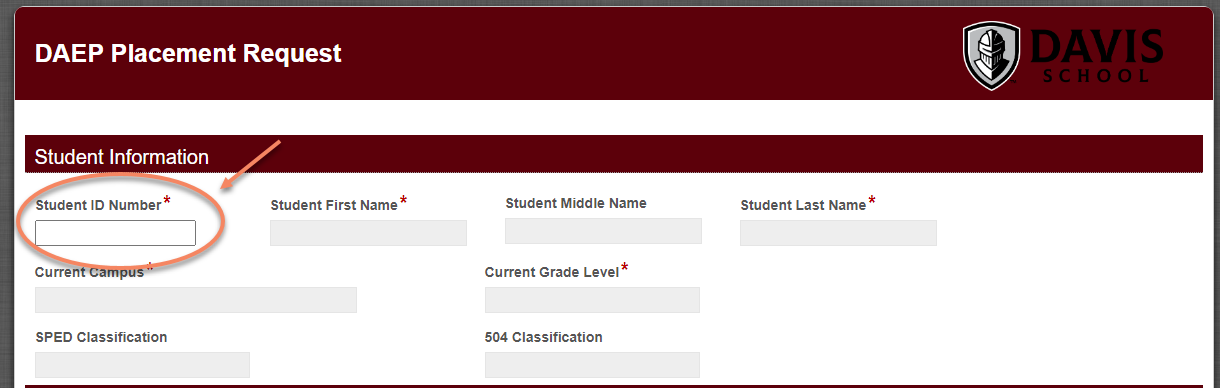
- You will then need to complete the “Placement Request Information” section, sign and submit the form.
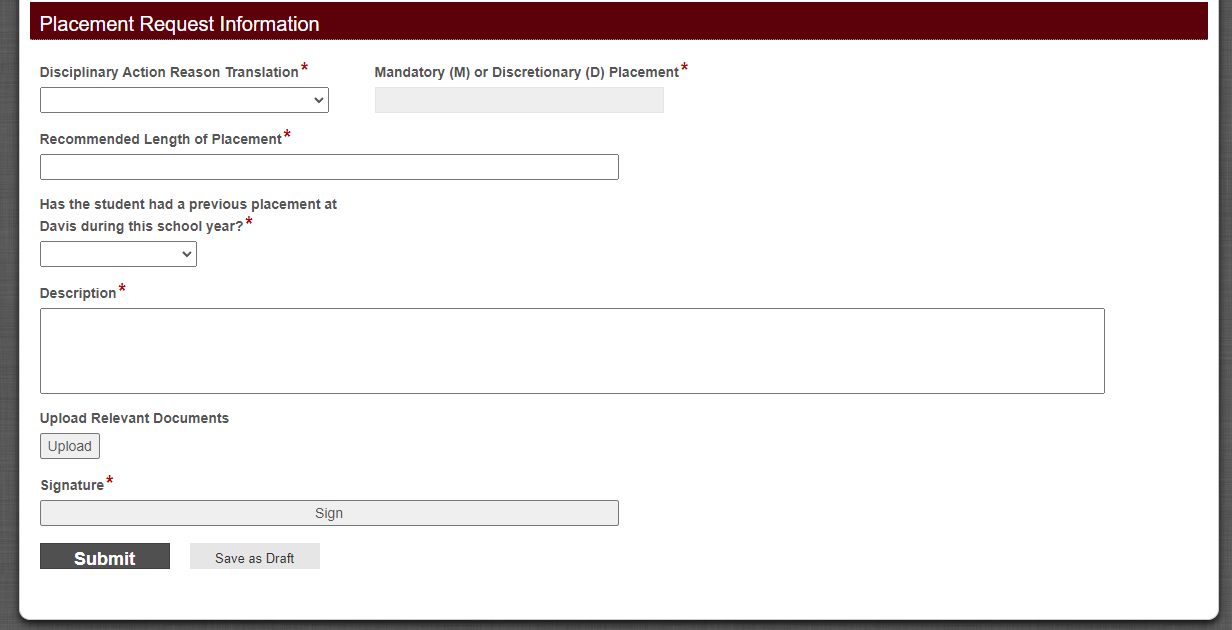
- After the form is submitted, it will route through the following steps:
- DAEP Principal will review the form.
- Area Superintendent will have the option to approve, deny or send the request back to the initiator of the form to gather additional information.
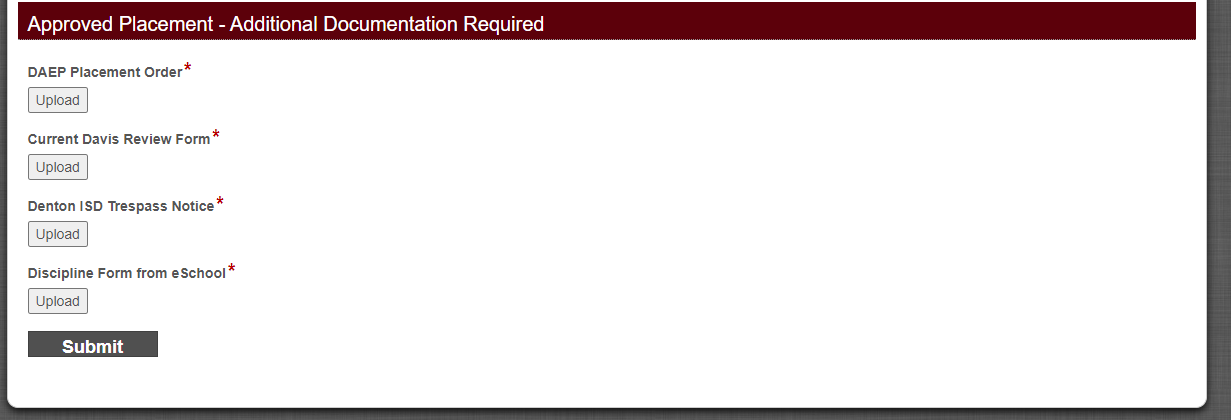
- If approved, you will receive an email and the form back in your Laserfiche inbox to upload the DAEP Placement Order, Current Davis Review Form, Denton ISD Trespass Notice, and Discipline Form from eSchool.
- If denied, you will receive an email letting you know that your request has been denied.
Last Modified on August 8, 2022
